> ## Documentation Index
> Fetch the complete documentation index at: https://docs.unibee.dev/llms.txt
> Use this file to discover all available pages before exploring further.
# Setting Billable Metric Pricing
# Setting Billable Metric Pricing in UniBee
## 1. Overview
After you’ve created your **Billable Metrics** (e.g., API Requests, Token Usage, Storage GB, etc.) in the **Billable Metric** module,\
the next step is to **link those metrics to your Product Plans** and define specific pricing rules.\
This completes your **Usage-based Billable** configuration.
All pricing configurations are done under\
**Plan → Advanced Setup**, where you can combine fixed, recurring, and usage-based pricing models.
***
## 2. Navigation
To configure pricing for metrics:
1. Open the sidebar menu:\
**Product → Product and Plan**
2. Select the plan you want to configure (e.g., *Main Monthly Plan*).
3. Click the **Advanced Setup** tab at the top of the page.
 ***
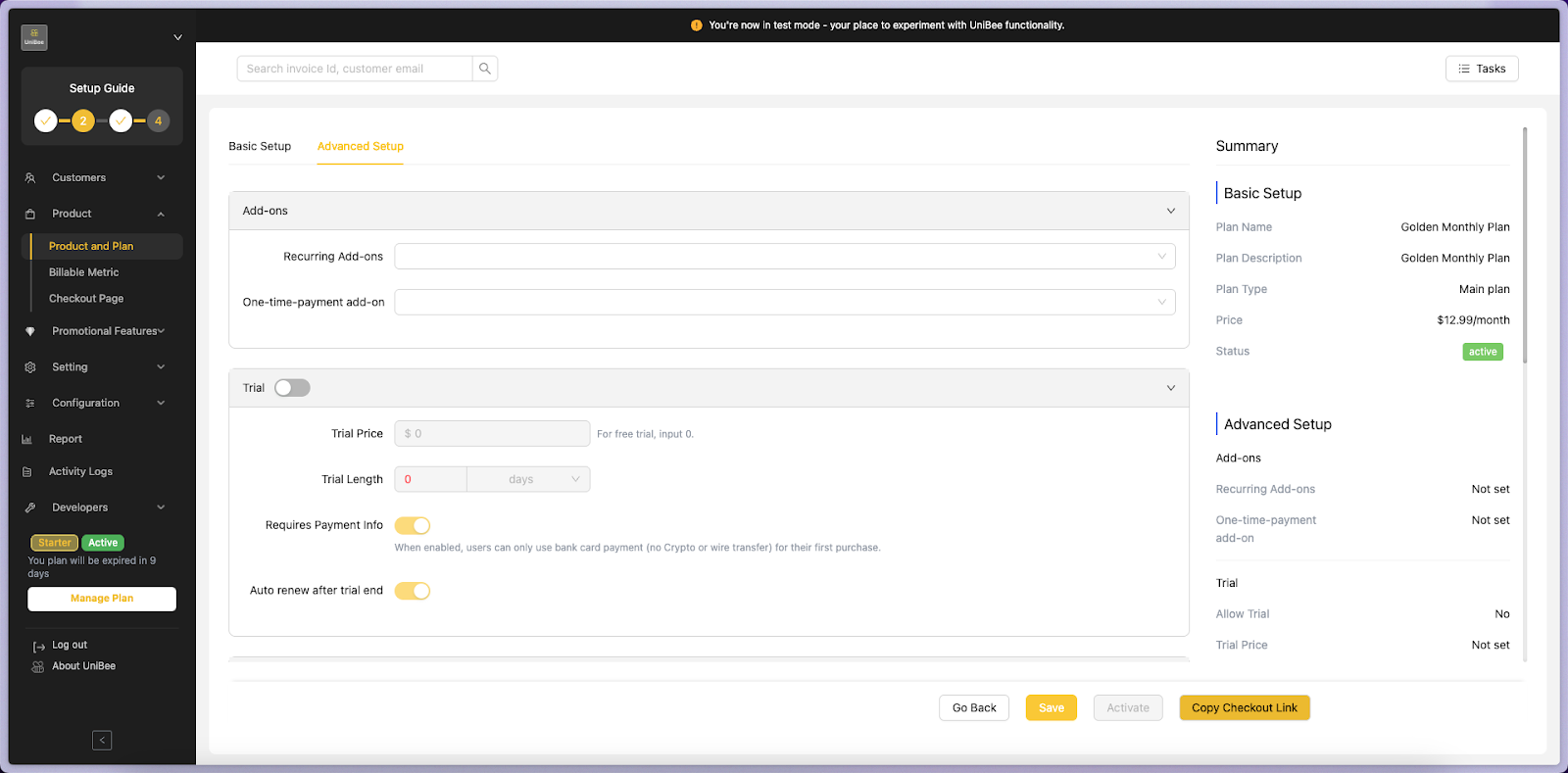
## 3. Advanced Setup Overview
The **Advanced Setup** page contains several key sections:
| Section | Description |
| ----------------------------------------- | --------------------------------------------------------------- |
| **Add-ons** | Add recurring or one-time add-ons to your plan. |
| **Trial** | Configure free or paid trial periods. |
| **Usage-based Billable (Charge Metered)** | Connect your created Billable Metrics and define their pricing. |
| **Custom Data (JSON)** | Developer field for advanced custom pricing logic. |
***
## 4. Linking Billable Metrics to a Plan
### Step 1. Go to Usage-based Billable
Scroll down to the **Usage-based Billable** section inside the Advanced Setup page.\
This is where you will connect your Billable Metrics using the **Charge Metered** block.
***
## 3. Advanced Setup Overview
The **Advanced Setup** page contains several key sections:
| Section | Description |
| ----------------------------------------- | --------------------------------------------------------------- |
| **Add-ons** | Add recurring or one-time add-ons to your plan. |
| **Trial** | Configure free or paid trial periods. |
| **Usage-based Billable (Charge Metered)** | Connect your created Billable Metrics and define their pricing. |
| **Custom Data (JSON)** | Developer field for advanced custom pricing logic. |
***
## 4. Linking Billable Metrics to a Plan
### Step 1. Go to Usage-based Billable
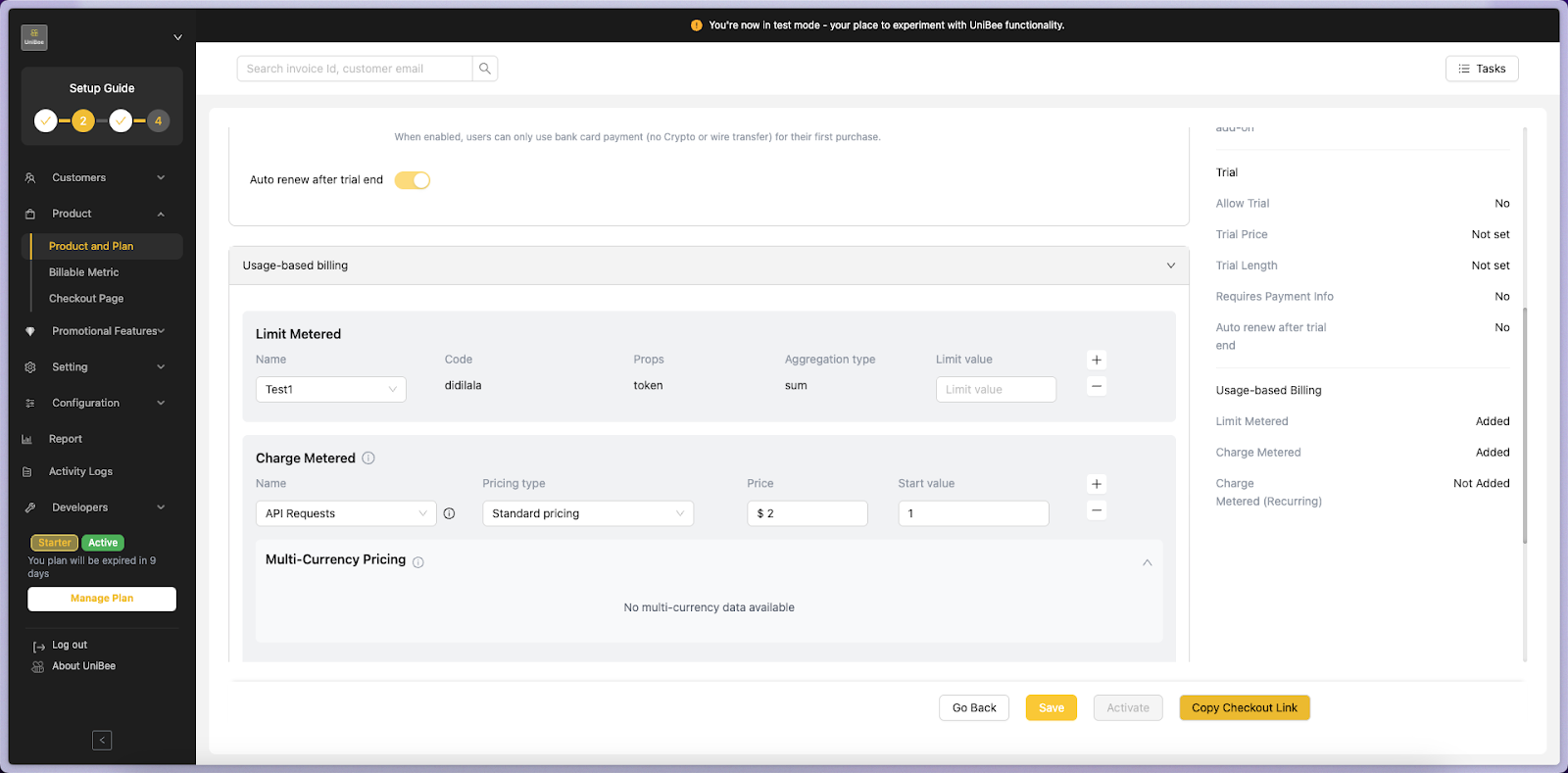
Scroll down to the **Usage-based Billable** section inside the Advanced Setup page.\
This is where you will connect your Billable Metrics using the **Charge Metered** block.
 ***
### Step 2. Select a Billable Metric
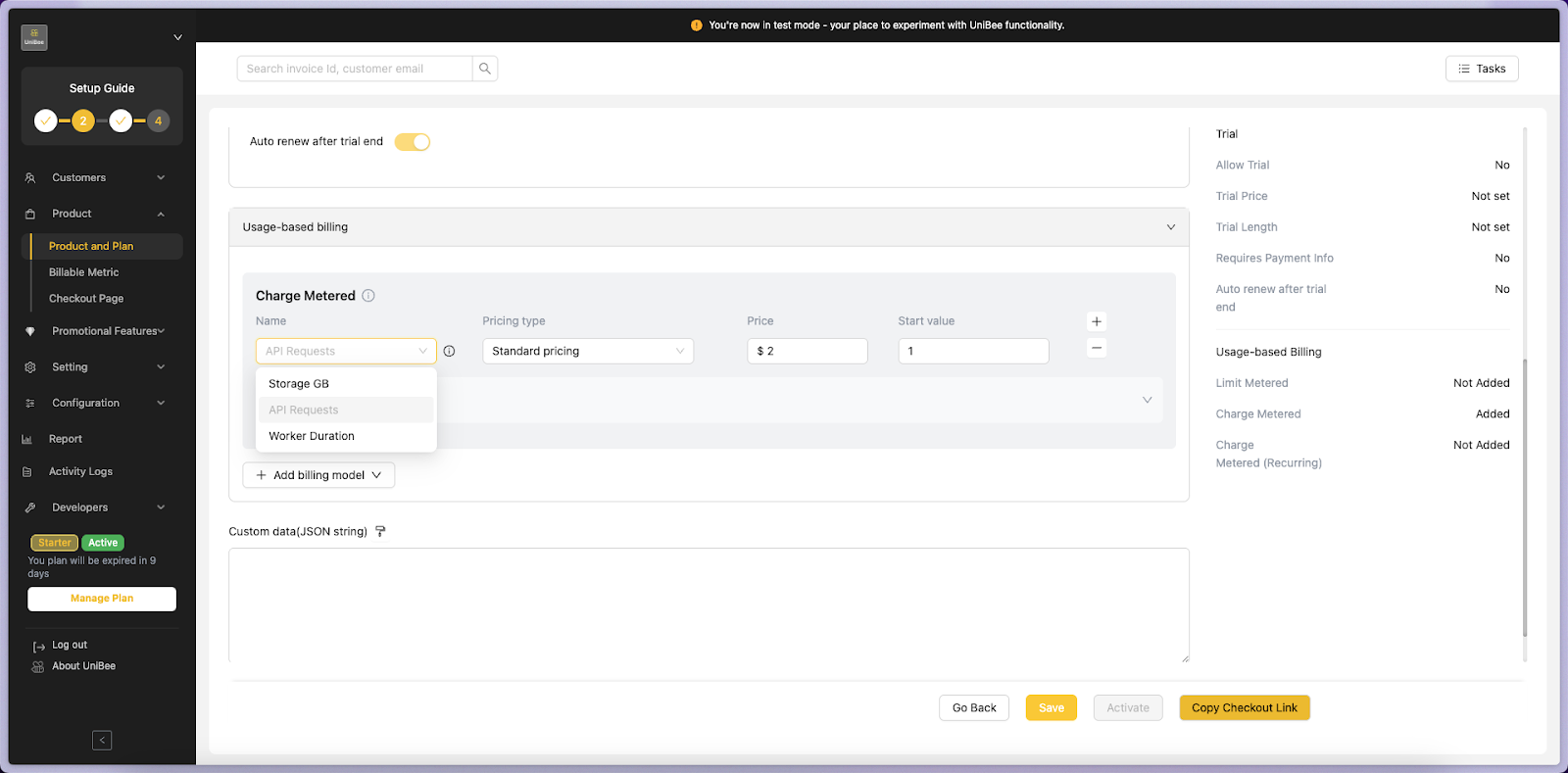
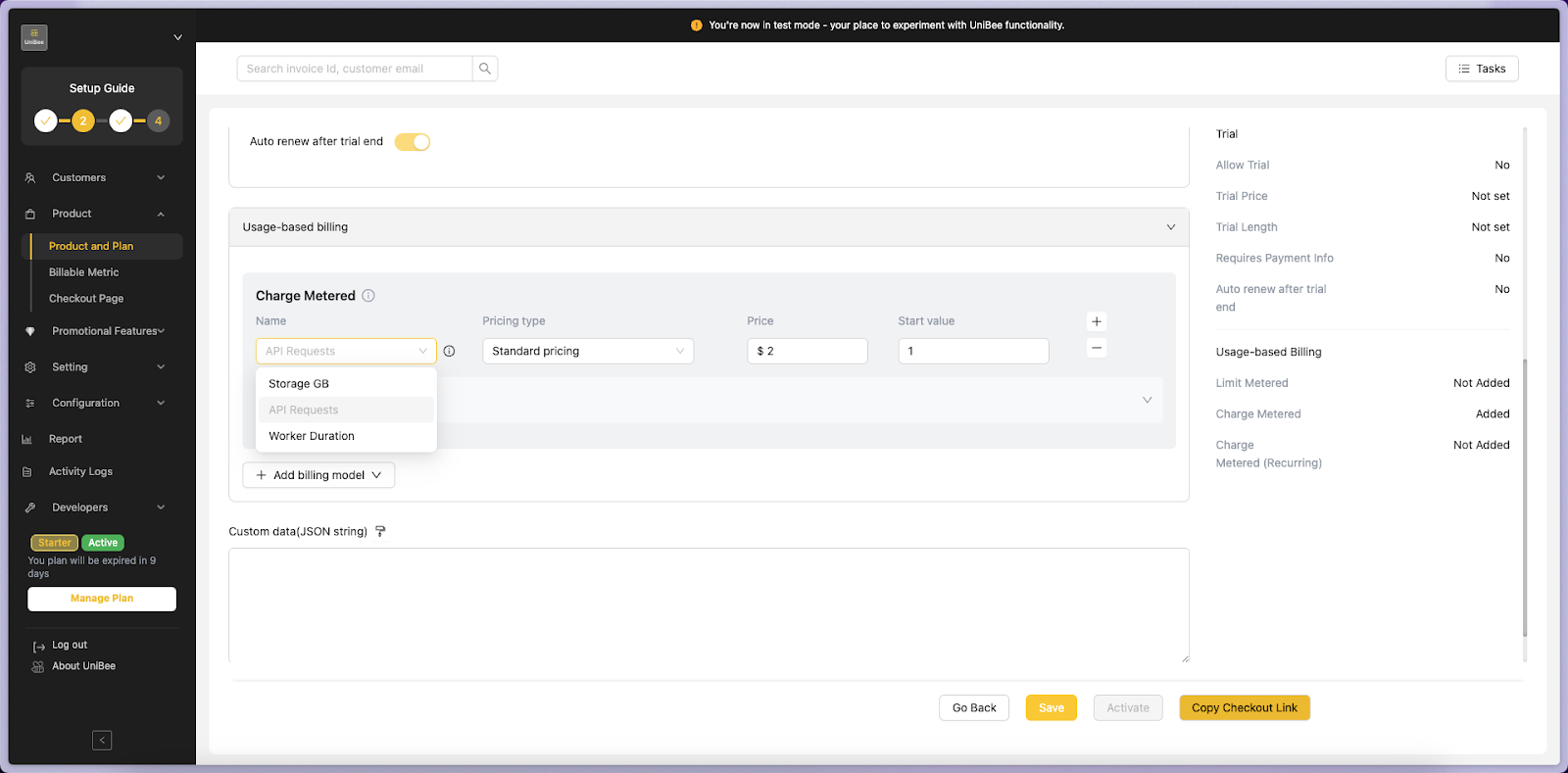
From the **Name** dropdown, select one of your existing Billable Metrics, such as:
* API Requests
* Storage GB
* Worker Duration
These metrics are pulled from your previously created records in\
**Product → Billable Metric**.
***
### Step 3. Configure Pricing Rules
Once you select a metric, you can define its pricing details:
| Field | Description | Example |
| ---------------- | ------------------------------------------------------------ | ------------------- |
| **Pricing Type** | Choose *Standard Pricing* (Tiered pricing to be added soon). | Standard |
| **Price** | Define the unit cost per usage. | \$2 per API request |
| **Start Value** | The initial thres | |
***
### Step 2. Select a Billable Metric
From the **Name** dropdown, select one of your existing Billable Metrics, such as:
* API Requests
* Storage GB
* Worker Duration
These metrics are pulled from your previously created records in\
**Product → Billable Metric**.
***
### Step 3. Configure Pricing Rules
Once you select a metric, you can define its pricing details:
| Field | Description | Example |
| ---------------- | ------------------------------------------------------------ | ------------------- |
| **Pricing Type** | Choose *Standard Pricing* (Tiered pricing to be added soon). | Standard |
| **Price** | Define the unit cost per usage. | \$2 per API request |
| **Start Value** | The initial thres | |