> ## Documentation Index
> Fetch the complete documentation index at: https://docs.unibee.dev/llms.txt
> Use this file to discover all available pages before exploring further.
# Change Subscription After Purchases (Hosted Mode)
> UniBee Hosted Update Page can help you build the ability to change subscriptions on your website or application
The UniBee Hosted Update Page is a secure, user-authenticated interface designed to increase conversions with minimal code that enables subscribers to manage and modify their active subscriptions, including plan changes, renewals, cancellations, and payment method updates.
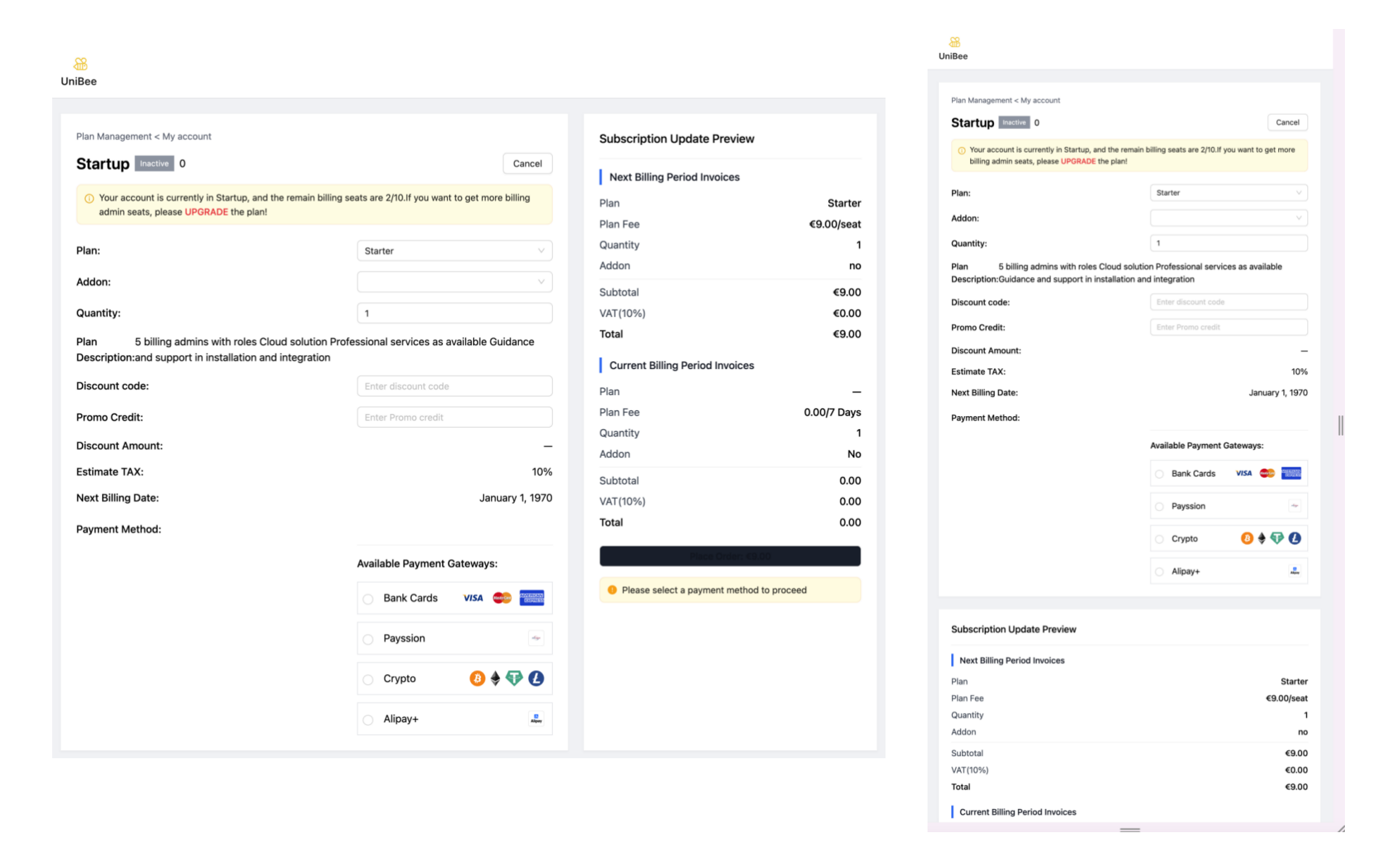 UniBee Hosted Update Page: Used for change subscriptions after the initial purchase
* Requires user authentication
* Available to all subscriber users
* Supports renewal, upgrade, downgrade, and cancellation
* Allows users to change payment methods
* Displays current subscription details with update preview
* Access Link: Generate link from [Session API](/api-reference/session/get-user-subscription-update-page-url-1)
```shell theme={null}
curl --request POST \
--url $UniBee_API_Host/merchant/session/user_sub_update_url \
--header 'Authorization: Bearer $UNIBEE_API_KEY' \
--header 'Content-Type: application/json' \
--data '{
"cancelUrl": "",
"email": "",
"externalUserId": "",
"planId": 123,
"productId": 123,
"returnUrl": "",
"userId": 123,
"vatCountryCode": ""
}'
```
The hosted change subscription will not effect to existence subscriptions itself immediately, an `PendingUpdate` process will create and trace the change action before payment successful.
After payment successful, relative [webhook events](/documentation/webhooks/webhook-events.mdx) will send
* `subscription.pending_update.success`
* `invoice.paid`
* `subscription.updated`
Next please refer below docs for status further detail.
* [Subscription status definision](/documentation/subscription/status#status)
* [Subscription auto-charge workflow](/documentation/subscription/subscription-auto-charge-workflow.mdx)
* [Subscription status flow](/documentation/subscription/status#status-flow)
UniBee Hosted Update Page: Used for change subscriptions after the initial purchase
* Requires user authentication
* Available to all subscriber users
* Supports renewal, upgrade, downgrade, and cancellation
* Allows users to change payment methods
* Displays current subscription details with update preview
* Access Link: Generate link from [Session API](/api-reference/session/get-user-subscription-update-page-url-1)
```shell theme={null}
curl --request POST \
--url $UniBee_API_Host/merchant/session/user_sub_update_url \
--header 'Authorization: Bearer $UNIBEE_API_KEY' \
--header 'Content-Type: application/json' \
--data '{
"cancelUrl": "",
"email": "",
"externalUserId": "",
"planId": 123,
"productId": 123,
"returnUrl": "",
"userId": 123,
"vatCountryCode": ""
}'
```
The hosted change subscription will not effect to existence subscriptions itself immediately, an `PendingUpdate` process will create and trace the change action before payment successful.
After payment successful, relative [webhook events](/documentation/webhooks/webhook-events.mdx) will send
* `subscription.pending_update.success`
* `invoice.paid`
* `subscription.updated`
Next please refer below docs for status further detail.
* [Subscription status definision](/documentation/subscription/status#status)
* [Subscription auto-charge workflow](/documentation/subscription/subscription-auto-charge-workflow.mdx)
* [Subscription status flow](/documentation/subscription/status#status-flow)