> ## Documentation Index
> Fetch the complete documentation index at: https://docs.unibee.dev/llms.txt
> Use this file to discover all available pages before exploring further.
# Checkout Purchases (Hosted Mode)
> Checkout Purchase can help you build the ability to receive subscriptions on your website or application
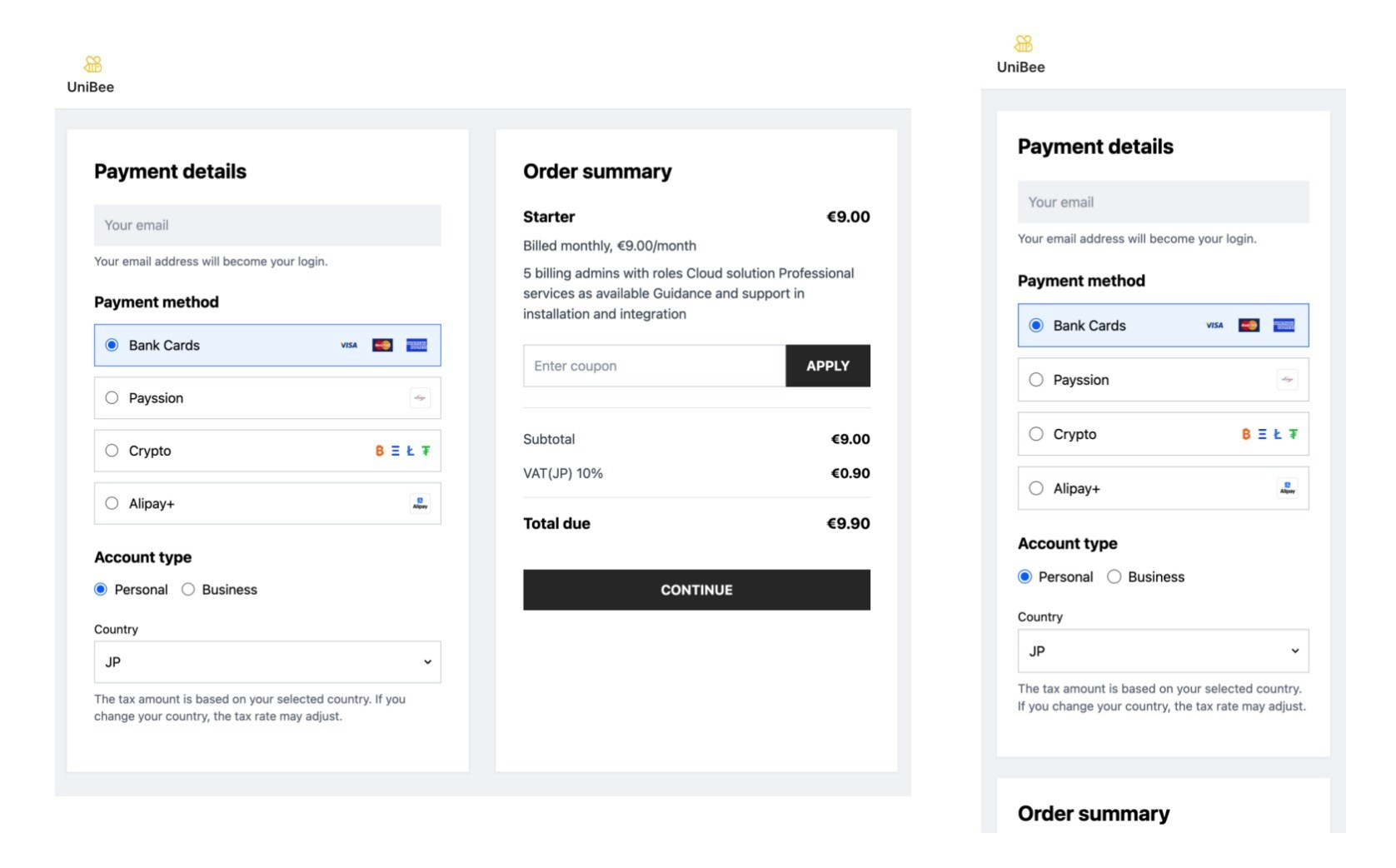
UniBee Checkout Page (UCP) provides you with a suite of optimized pre-built subscription features designed to increase conversions with no code. Simply direct your buyers to UniBee checkout page to easily and securely process first-subscription purchases.
Checkout Page: Designed for first-time purchases
* No user authentication required
* Available to every active Plan
* Access Link: copy link from Plan definision page and go to Checkout
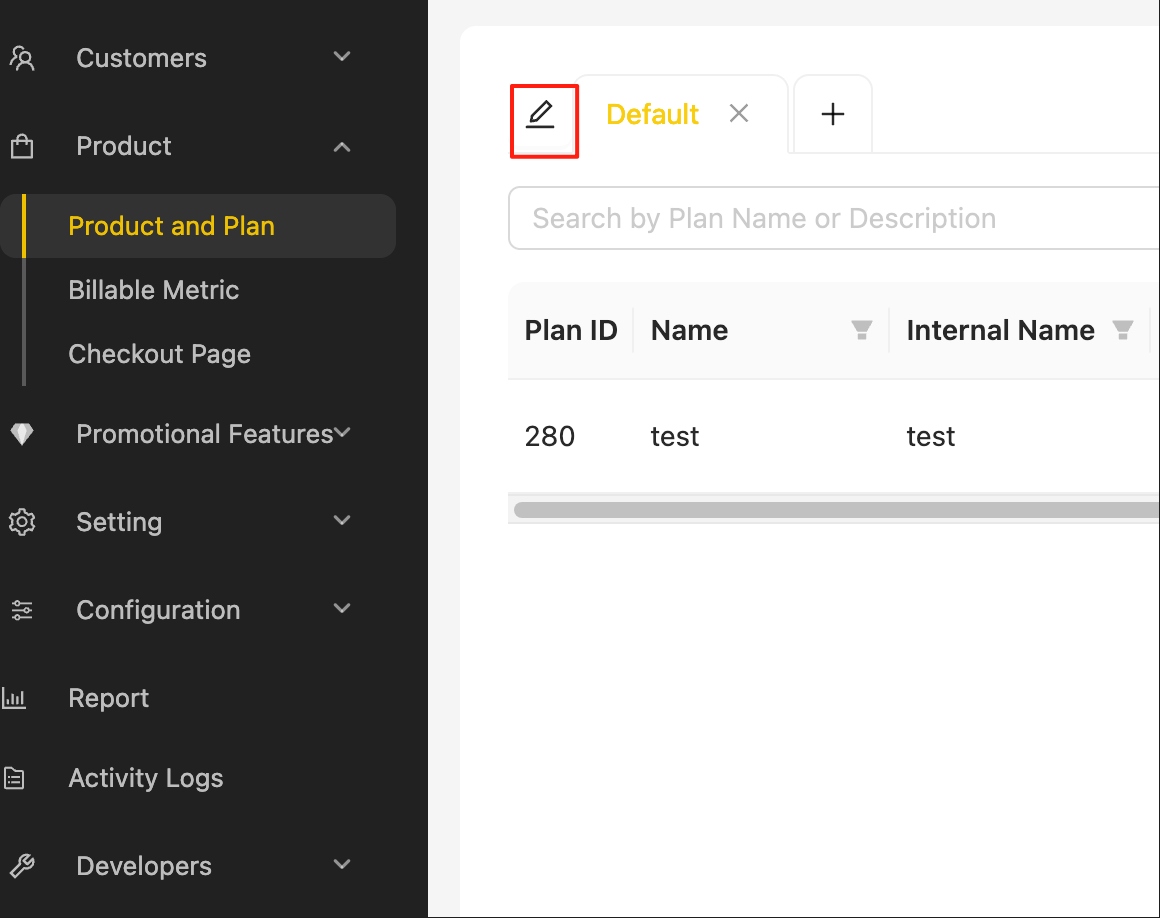
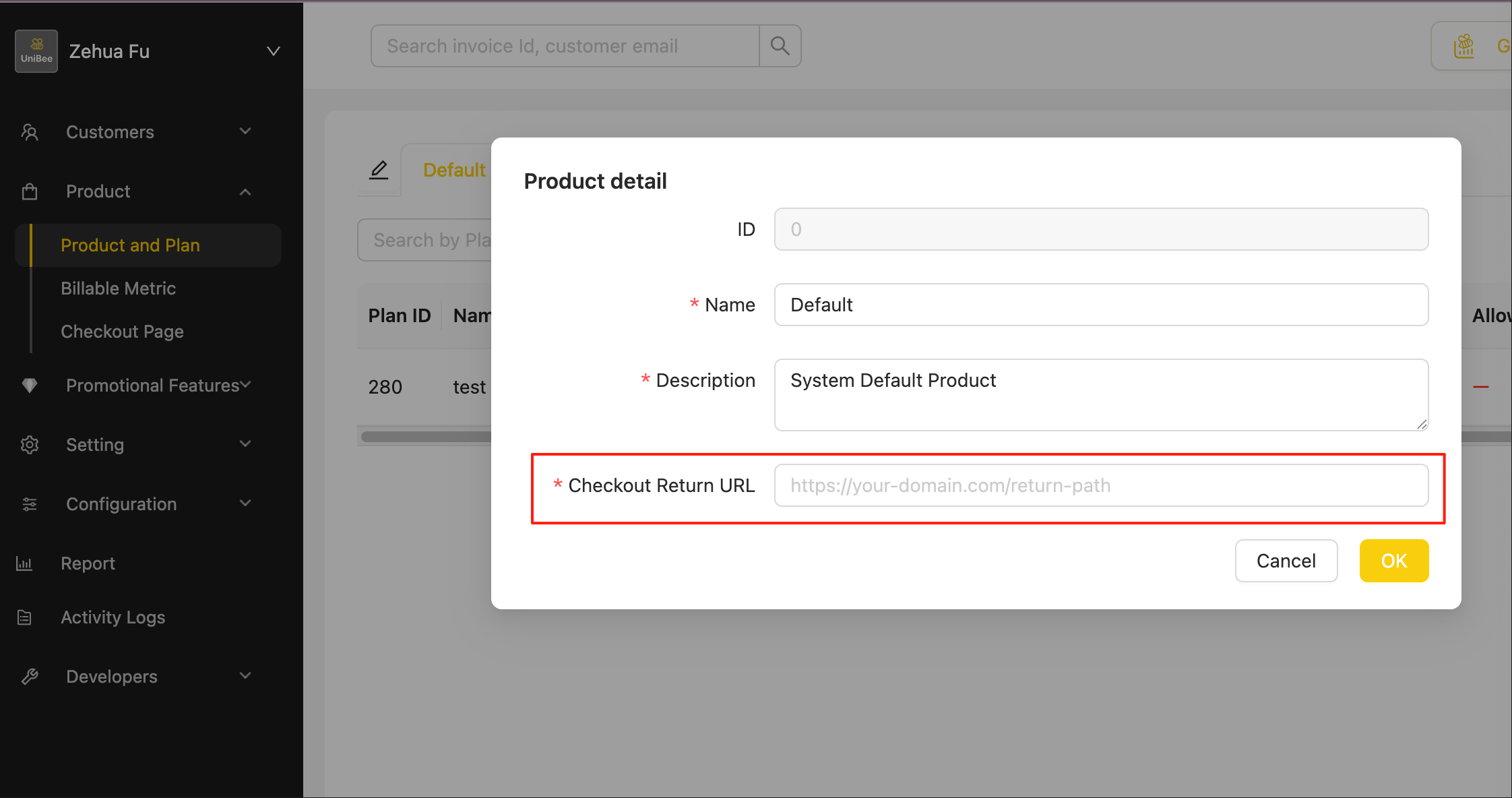
 * Successful return: setup your successful return url at Product definision page
 A `Pending` subscription will be created and remain in that state for several days (`3` days by default) while waiting for the user to complete the purchase.
Once the payment is successful, the subscription will transition to the `active` state. At that point, you can either receive a webhook event or retrieve the subscription details via the API.
## Work with Session API
If you have obtained user information in advance (including Email) and want to pre-fill the `Email` field on the checkout page, as well as set specific `ReturnUrl` and `CancelUrl`, you can use the Session API.
You need to:
1. Get a ClientSession from the Session API: [Checkout Session API](/api-reference/session/new-user-portal-session)
2. **Append the session** to the checkout link parameters:
```
https://cs.unibee.dev/hosted/checkout?planId=253&env=prod&session=${clientSession}
```
This approach allows you to pre-authenticate users and provide a seamless checkout experience.
To integrate properly:
* You must set up a webhook endpoint and subscribe to [webhook events](/documentation/webhooks/webhook-events.mdx) such as `subscription.activated` or `invoice.paid`.
* Alternatively, your system can call the OpenAPI to fetch the user’s [user subscription detail](/api-reference/subscription/user-subscription-detail) directly.
Next please refer below docs for status further detail.
* [Subscription status definision](/documentation/subscription/status#status)
* [Subscription auto-charge workflow](/documentation/subscription/subscription-auto-charge-workflow.mdx)
* [Subscription status flow](/documentation/subscription/status#status-flow)
A `Pending` subscription will be created and remain in that state for several days (`3` days by default) while waiting for the user to complete the purchase.
Once the payment is successful, the subscription will transition to the `active` state. At that point, you can either receive a webhook event or retrieve the subscription details via the API.
## Work with Session API
If you have obtained user information in advance (including Email) and want to pre-fill the `Email` field on the checkout page, as well as set specific `ReturnUrl` and `CancelUrl`, you can use the Session API.
You need to:
1. Get a ClientSession from the Session API: [Checkout Session API](/api-reference/session/new-user-portal-session)
2. **Append the session** to the checkout link parameters:
```
https://cs.unibee.dev/hosted/checkout?planId=253&env=prod&session=${clientSession}
```
This approach allows you to pre-authenticate users and provide a seamless checkout experience.
To integrate properly:
* You must set up a webhook endpoint and subscribe to [webhook events](/documentation/webhooks/webhook-events.mdx) such as `subscription.activated` or `invoice.paid`.
* Alternatively, your system can call the OpenAPI to fetch the user’s [user subscription detail](/api-reference/subscription/user-subscription-detail) directly.
Next please refer below docs for status further detail.
* [Subscription status definision](/documentation/subscription/status#status)
* [Subscription auto-charge workflow](/documentation/subscription/subscription-auto-charge-workflow.mdx)
* [Subscription status flow](/documentation/subscription/status#status-flow)