

Setting Billable Metric Pricing in UniBee
1. Overview
After you’ve created your Billable Metrics (e.g., API Requests, Token Usage, Storage GB, etc.) in the Billable Metric module,the next step is to link those metrics to your Product Plans and define specific pricing rules.
This completes your Usage-based Billable configuration. All pricing configurations are done under
Plan → Advanced Setup, where you can combine fixed, recurring, and usage-based pricing models.
2. Navigation
To configure pricing for metrics:- Open the sidebar menu:
Product → Product and Plan - Select the plan you want to configure (e.g., Main Monthly Plan).
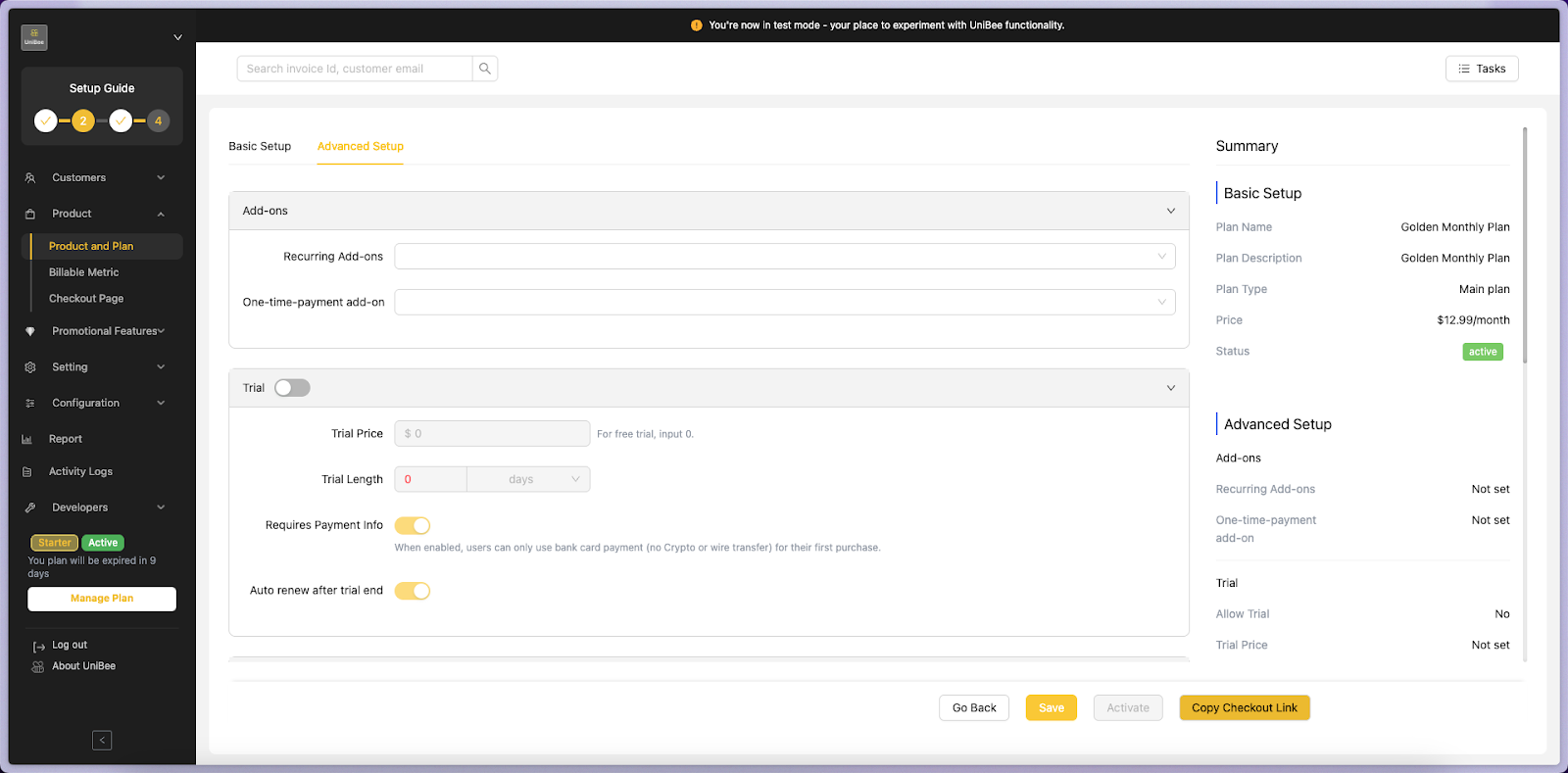
- Click the Advanced Setup tab at the top of the page.
3. Advanced Setup Overview
The Advanced Setup page contains several key sections:4. Linking Billable Metrics to a Plan
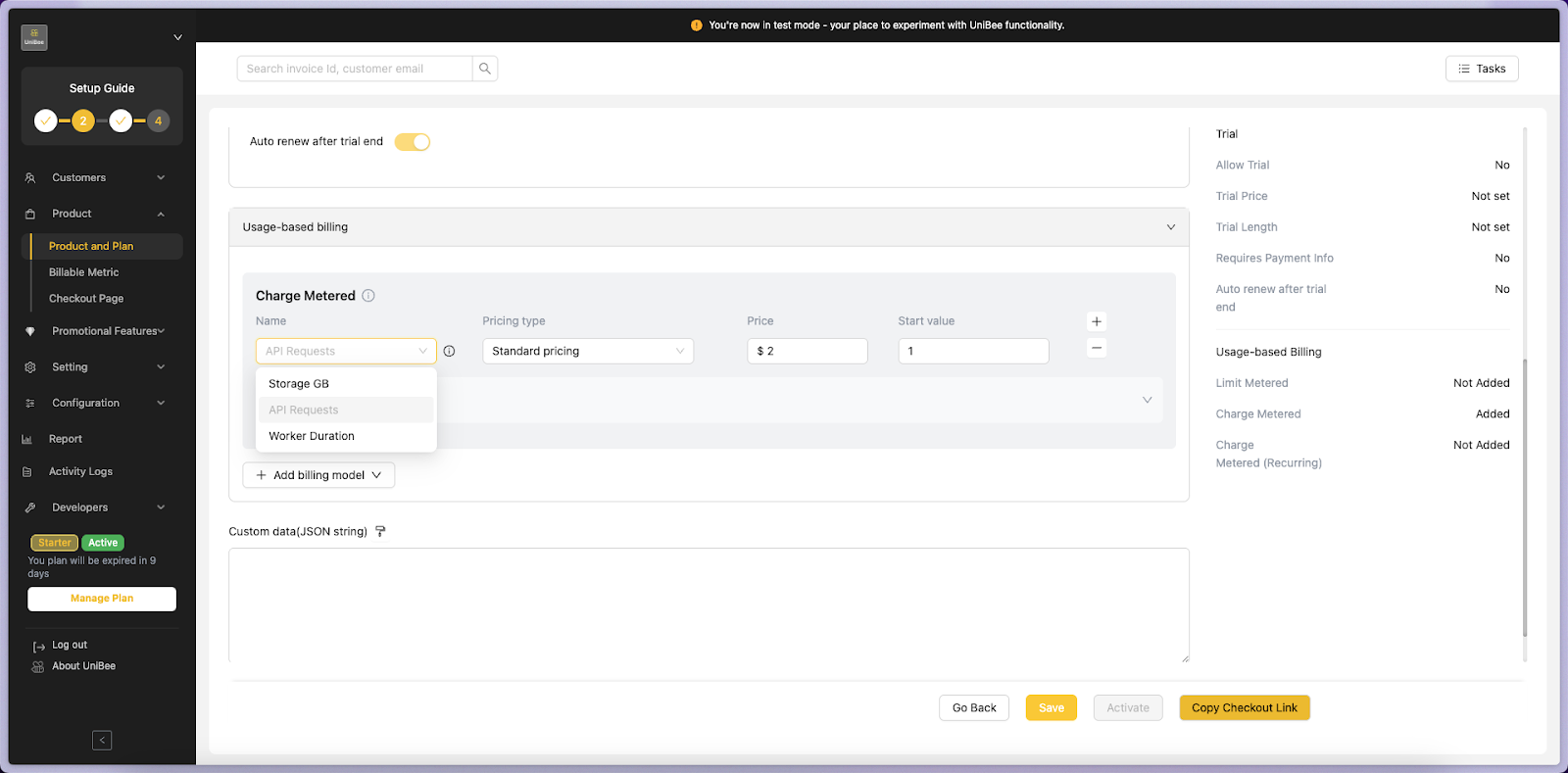
Step 1. Go to Usage-based Billable
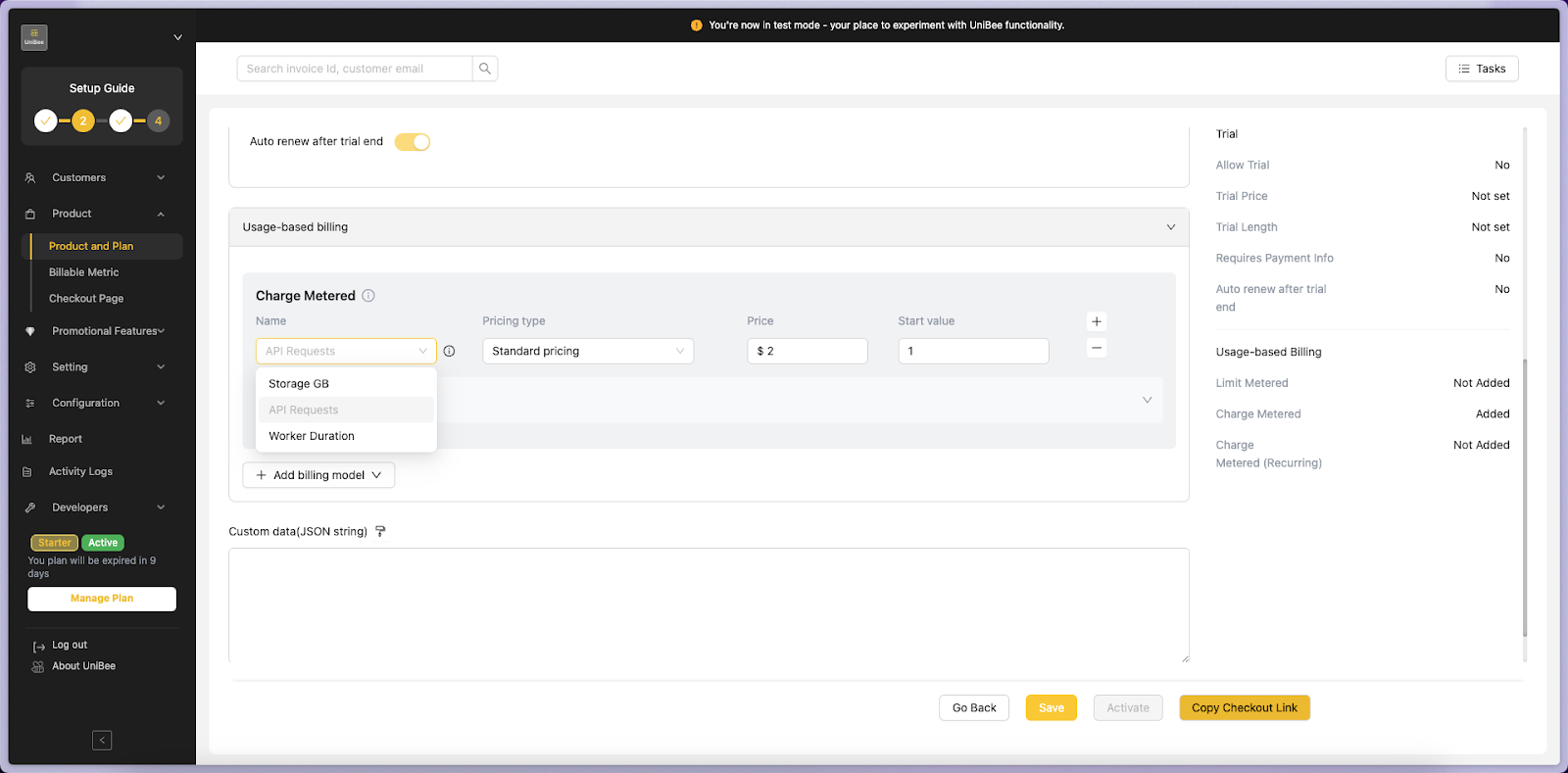
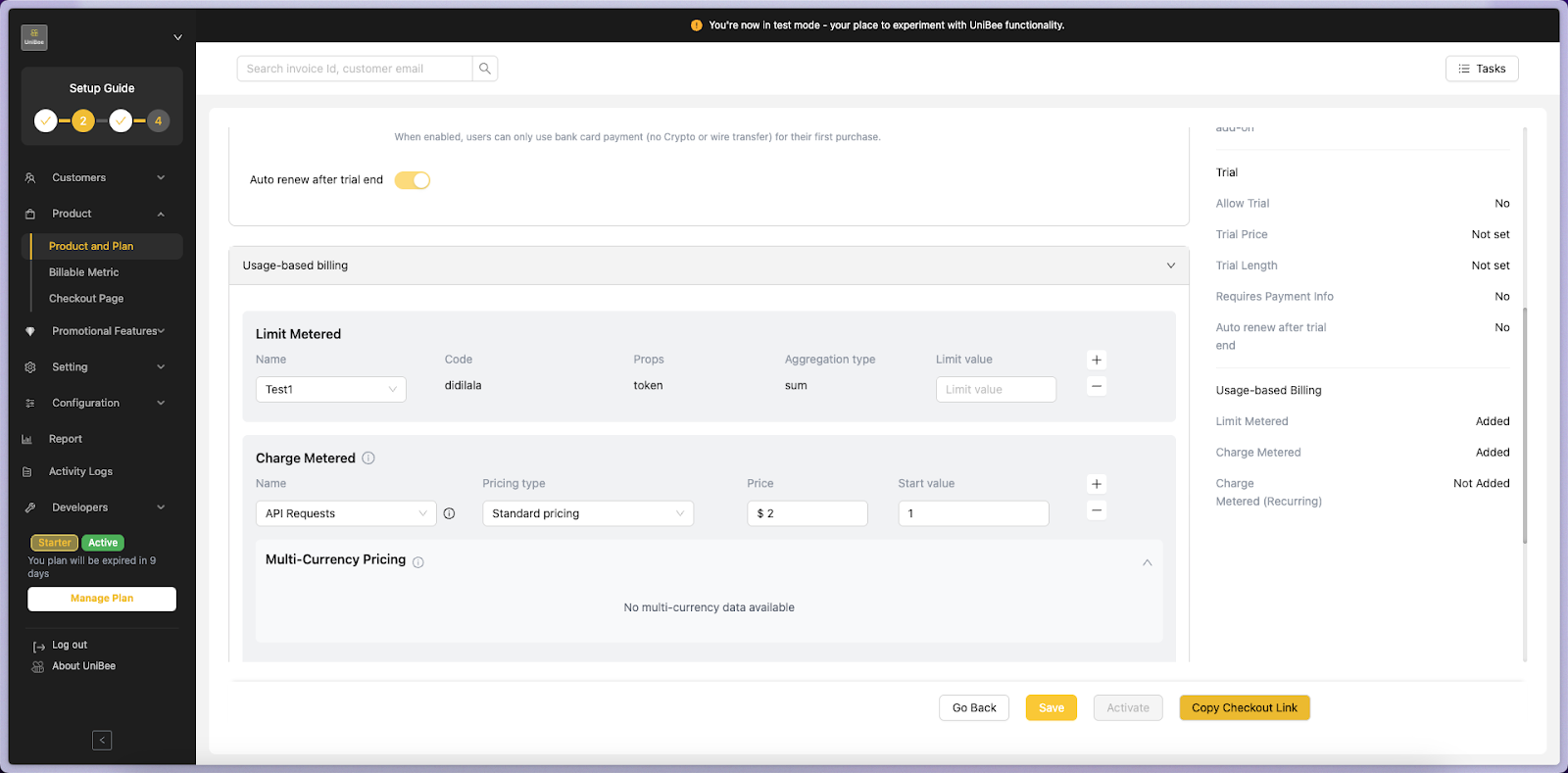
Scroll down to the Usage-based Billable section inside the Advanced Setup page.This is where you will connect your Billable Metrics using the Charge Metered block.
Step 2. Select a Billable Metric
From the Name dropdown, select one of your existing Billable Metrics, such as:- API Requests
- Storage GB
- Worker Duration
Product → Billable Metric.