

Overview
The Customer Portal & Checkout Setup page allows merchants to configure and test the main customer-facing billing entry points provided by UniBee. These features help you:- generate hosted checkout links for specific plans
- provide authenticated self-service pages for subscription updates
- provide a full customer portal for billing and account management
- integrate customer-facing billing flows into your own product through API-based session links
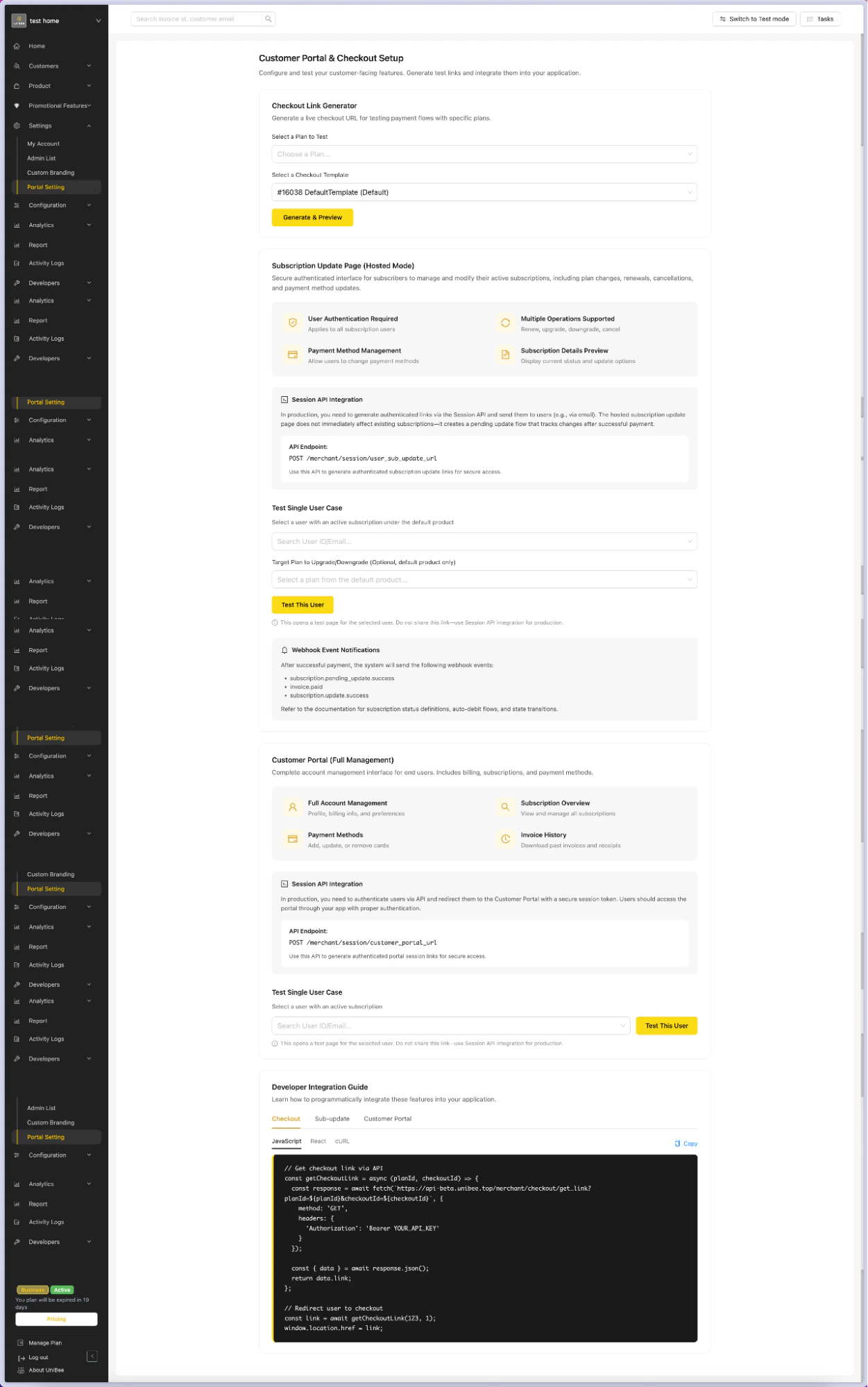
What You Can Configure on This Page
The page includes the following sections:- Checkout Link Generator
- Subscription Update Page (Hosted Mode)
- Customer Portal (Full Management)
- Developer Integration Guide
Checkout Link Generator
What It Does
The Checkout Link Generator allows you to generate a hosted checkout URL for a selected plan and checkout template. This is useful for testing payment flows or quickly generating a customer-facing checkout page without building the checkout UI yourself.Typical Use Cases
- test a checkout flow for a specific subscription plan
- preview the hosted checkout page before sharing it
- validate checkout templates and plan configuration
- generate checkout links for use in applications, campaigns, or internal testing
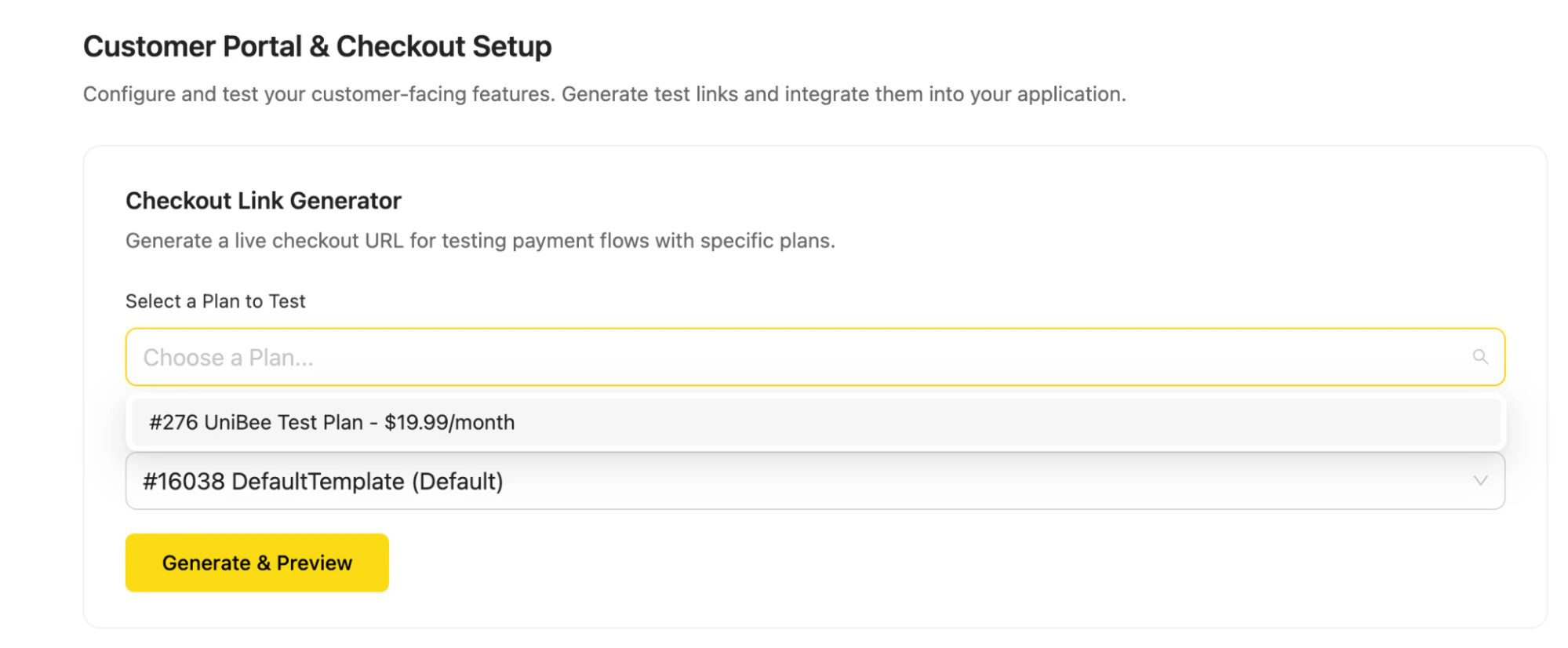
How to Use
- Go to Settings → Portal Setting
- In the Checkout Link Generator section, select a plan under Select a Plan to Test
- Select a checkout template under Select a Checkout Template
- Click Generate & Preview
Expected Result
After generation, you can review the checkout experience for the selected plan and template, and validate whether the page is ready for customer use.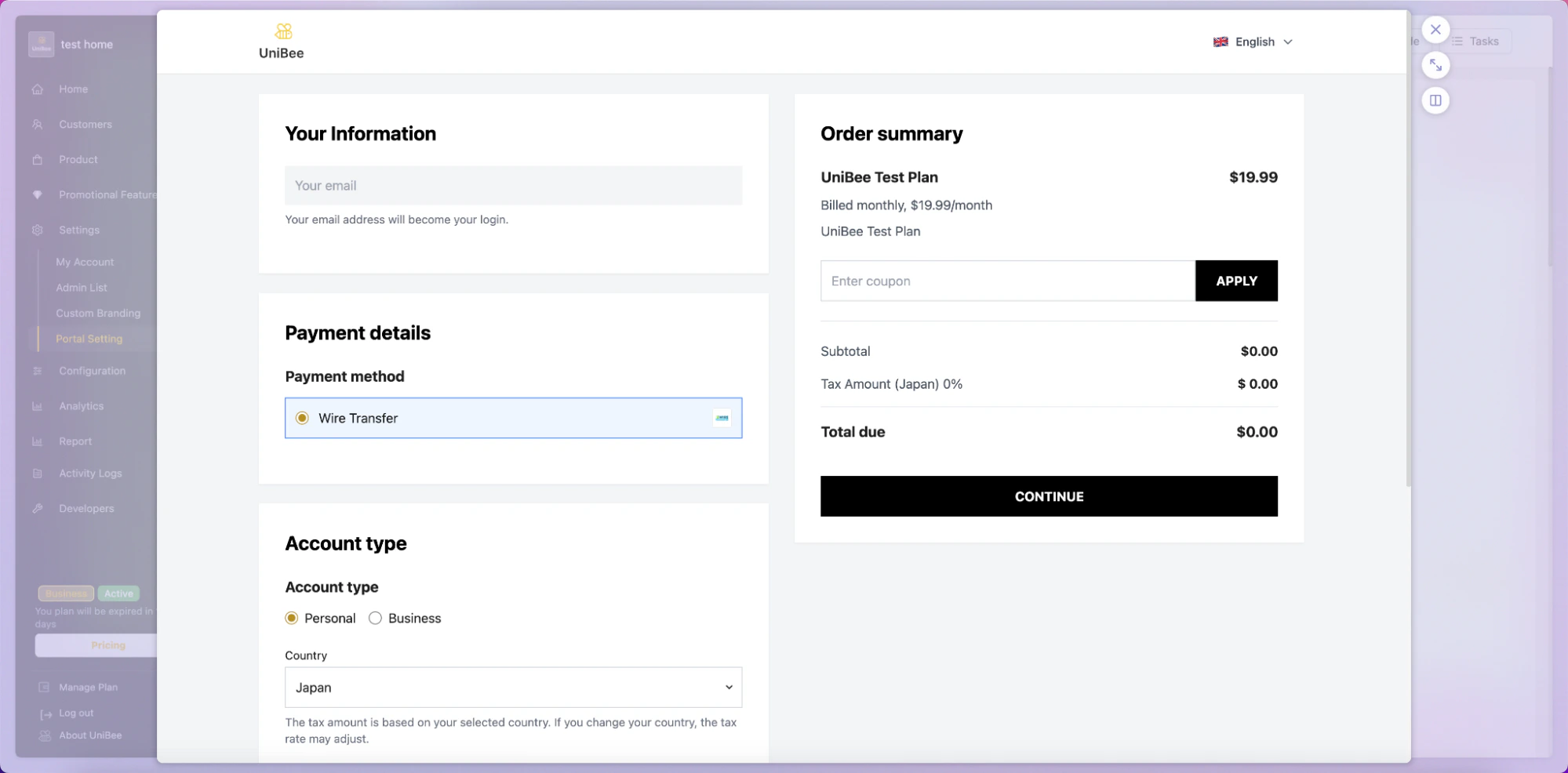
Notes
- the generated page is intended for hosted checkout flows
- available templates depend on your current template configuration
- this section is useful for both operational testing and QA verification
Subscription Update Page (Hosted Mode)
What It Does
The Subscription Update Page (Hosted Mode) provides a secure, authenticated interface where subscribers can manage an existing subscription.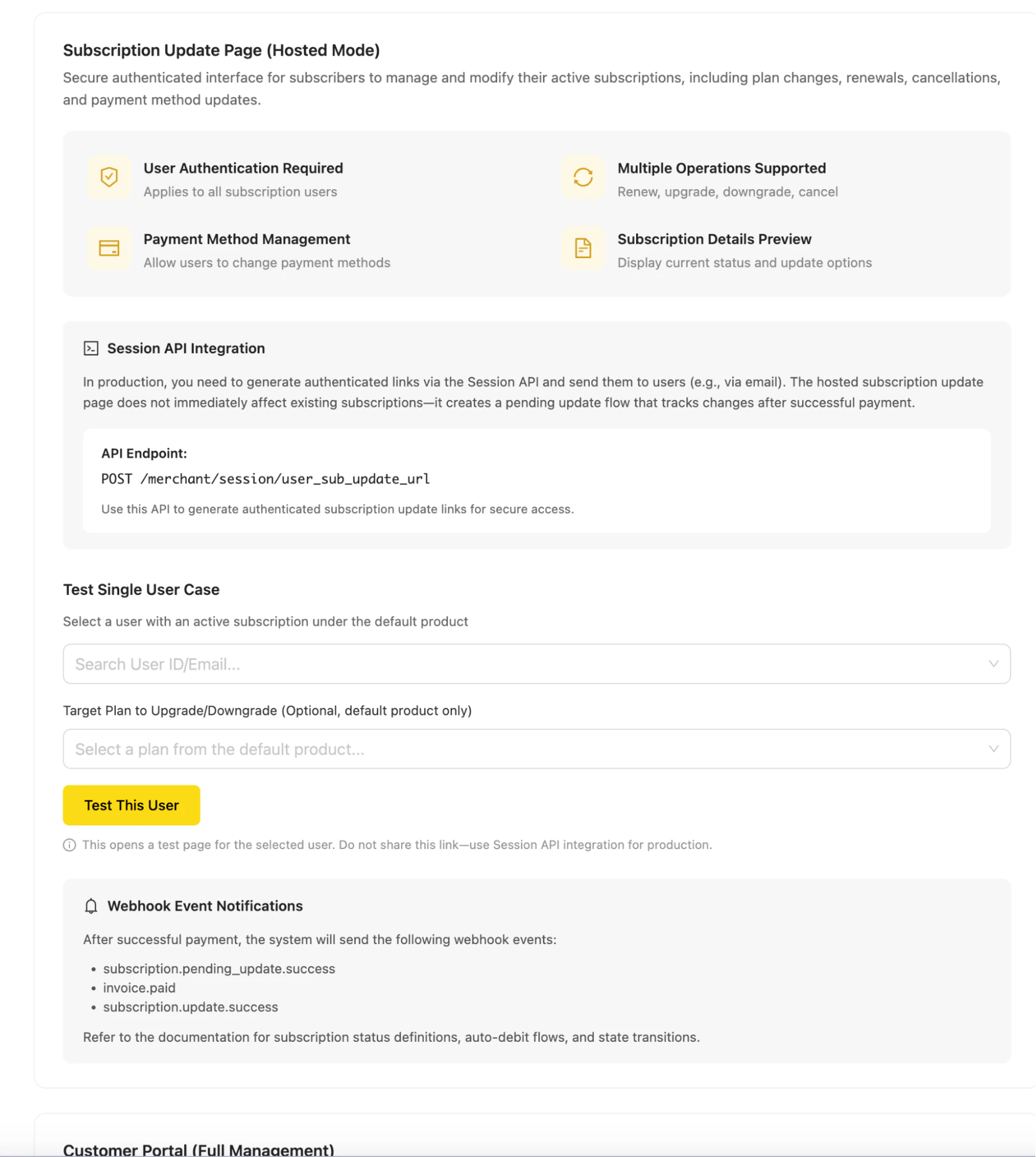
- renew
- upgrade
- downgrade
- cancel
- payment method update
Key Capabilities
User authentication required
Only authenticated subscription users can access the hosted subscription update page.Multiple subscription operations
Subscribers can perform common update actions such as renewal, upgrade, downgrade, and cancellation.Payment method management
Users can update the payment method associated with their subscription.Subscription details preview
Users can view the current subscription status and available update options before confirming changes.How It Works
The hosted subscription update page is typically generated through a Session API.Session API endpoint
POST /merchant/session/user_sub_update_url
Use this API to generate an authenticated subscription update link for a specific user.
Integration Logic
In production, merchants are expected to:- authenticate the user in their own system
- call UniBee’s Session API from the backend
- generate a secure hosted update URL
- redirect the authenticated user to the hosted page
Sandbox Testing
The page also provides a Test Single User Case section for sandbox testing. You can: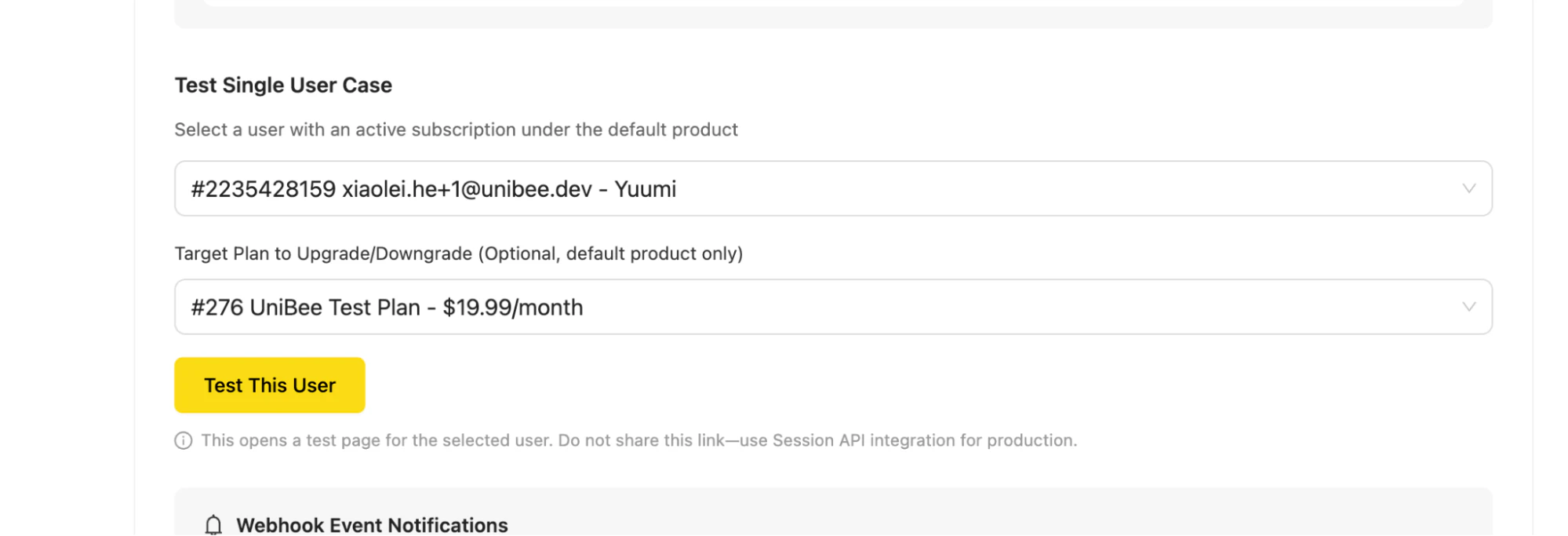
- search for a user by ID or email
- optionally select a target plan for upgrade or downgrade
- click Test This User to open a test page for that user
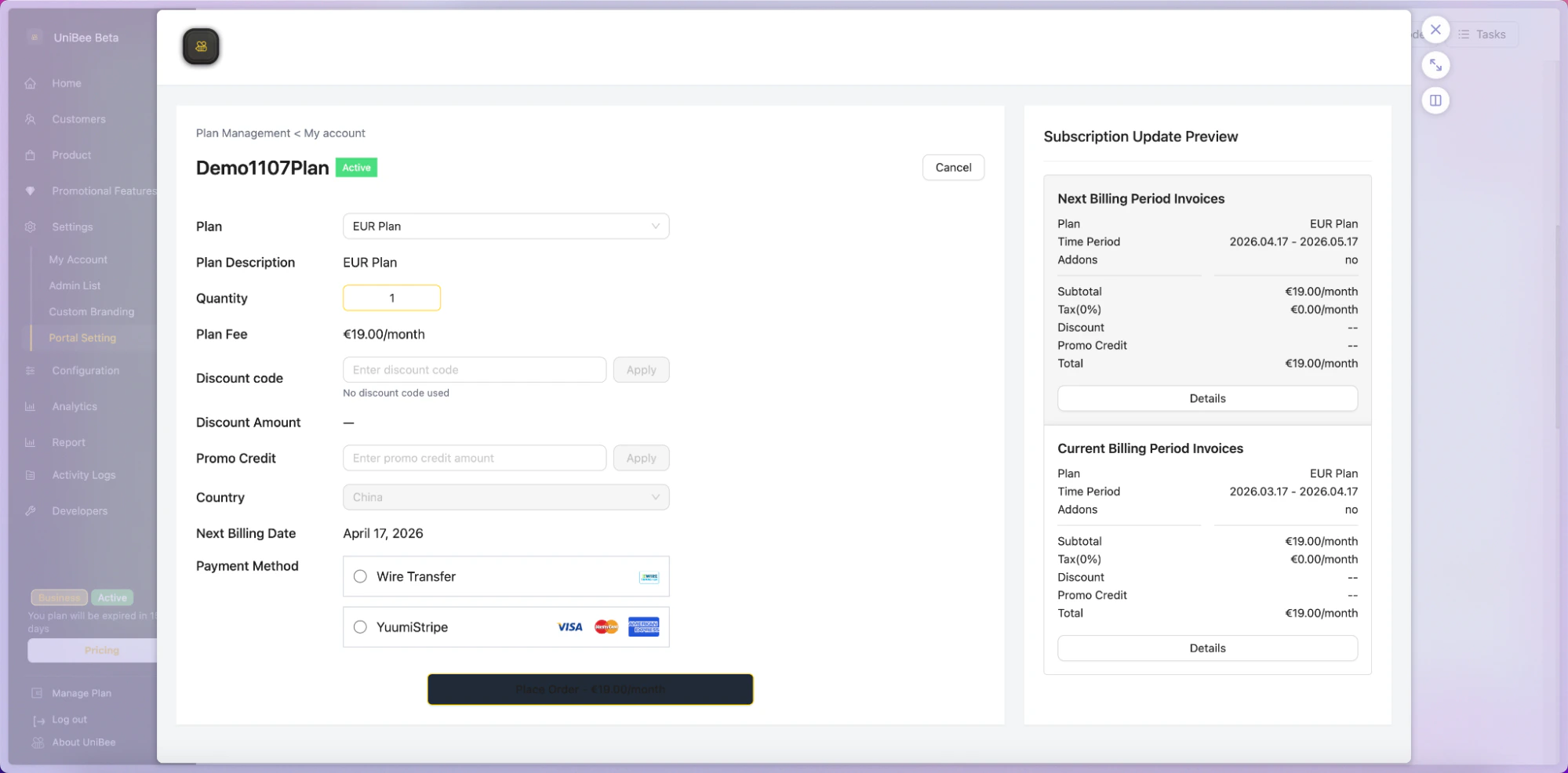
Sandbox test links are for internal testing only and should not be shared with end users in production.
Webhook Events
After successful payment or subscription change processing, UniBee sends related webhook events. Examples shown in the interface include:subscription.pending_update.successinvoice.paidsubscription.updated
Typical Use Cases
- allow users to upgrade or downgrade plans without contacting support
- allow users to renew a subscription through a hosted page
- allow users to cancel subscriptions through a secure self-service flow
- allow users to update payment methods for active subscriptions
Notes
- the hosted update page does not apply changes immediately in every scenario
- some updates may create a pending update flow that is completed only after payment succeeds
- merchants should review webhook handling and subscription state transitions in their backend logic
Customer Portal (Full Management)
What It Does
The Customer Portal (Full Management) is a complete self-service billing portal for end users. It provides a broader account management experience than the subscription update page, including subscription visibility, billing history, invoice access, and payment method management.Key Capabilities
Full account management
Users can manage billing-related information and account preferences.Subscription overview
Users can view and manage all relevant subscriptions in one place.Payment methods
Users can add, update, or remove saved payment methods.Invoice history
Users can review and download historical invoices and receipts.How It Works
Like the hosted subscription update page, the full customer portal is intended to be accessed through a secure session link generated via API.Session API endpoint
POST /merchant/session/customer_portal_url
Use this API to generate an authenticated customer portal link for a user.
Integration Logic
Recommended production flow:- authenticate the user in your application
- call the UniBee Session API from your backend
- generate a secure portal URL
- redirect the user into the hosted customer portal
Sandbox Testing
The Test Single User Case section lets you test the portal experience for a selected user in the sandbox environment. You can: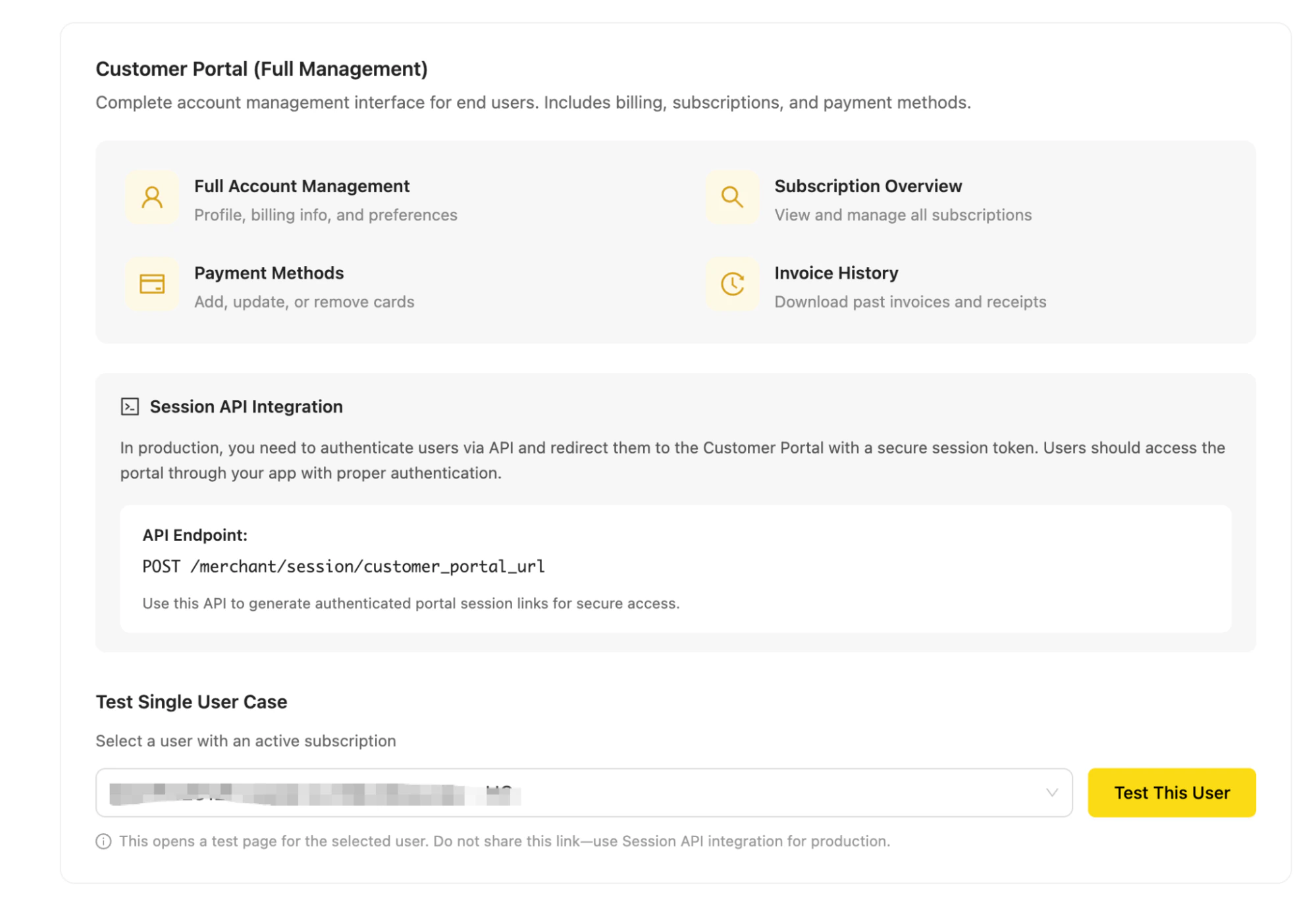
- search for a user by ID or email
- click Test This User
- open the portal as that user for validation
Sandbox-generated portal links are intended for testing only.
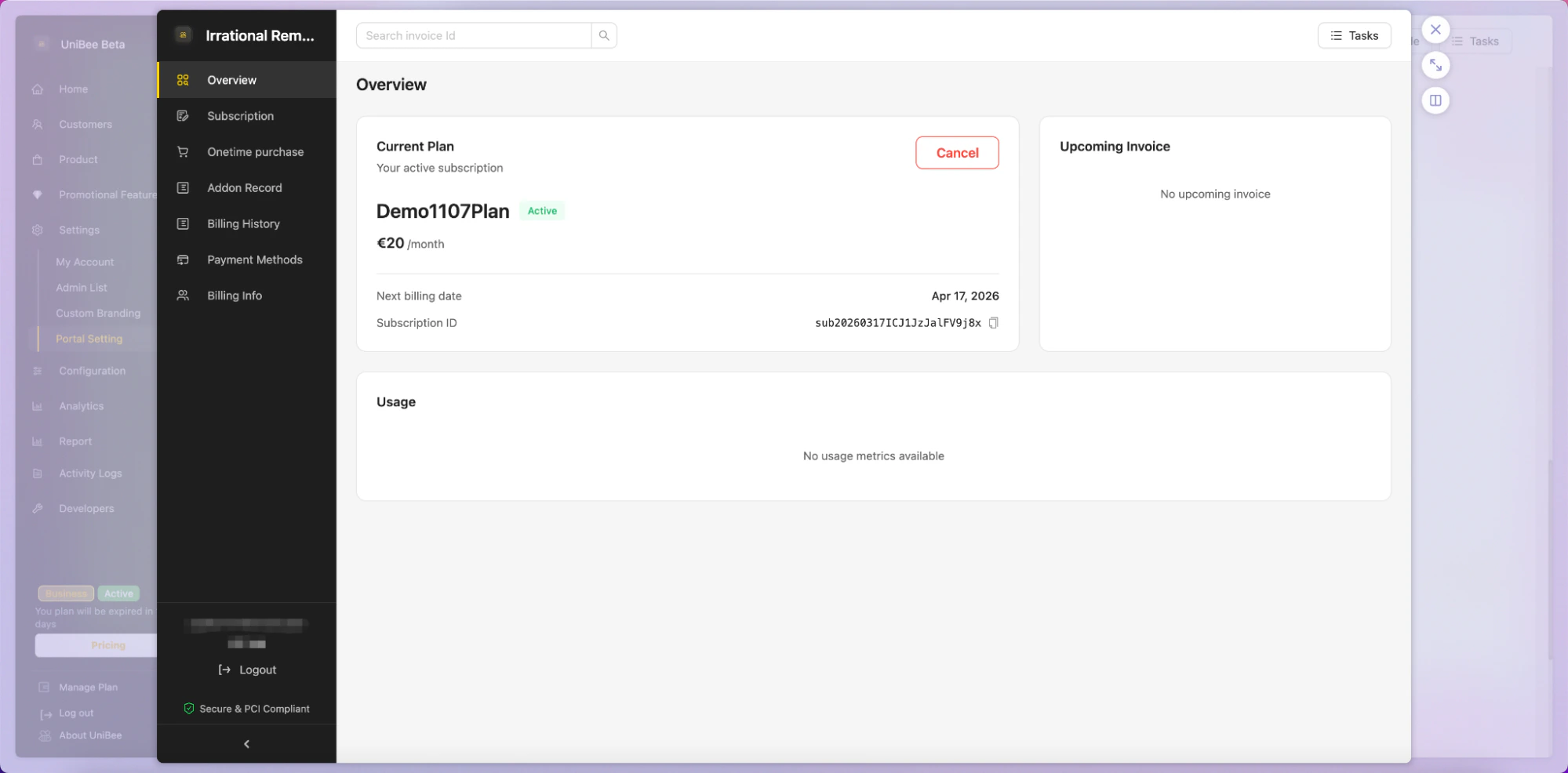
Typical Use Cases
- give end users a self-service billing center
- reduce support workload for invoice and payment method requests
- let customers check subscription and billing history independently
- provide a unified portal for subscription and payment management
Notes
- the full customer portal is broader than the subscription update page
- use the subscription update page when you want a focused subscription-change flow
- use the full customer portal when you want a complete billing self-service experience
Developer Integration Guide
What It Does
The Developer Integration Guide provides sample integration code for embedding UniBee customer-facing billing flows into your application.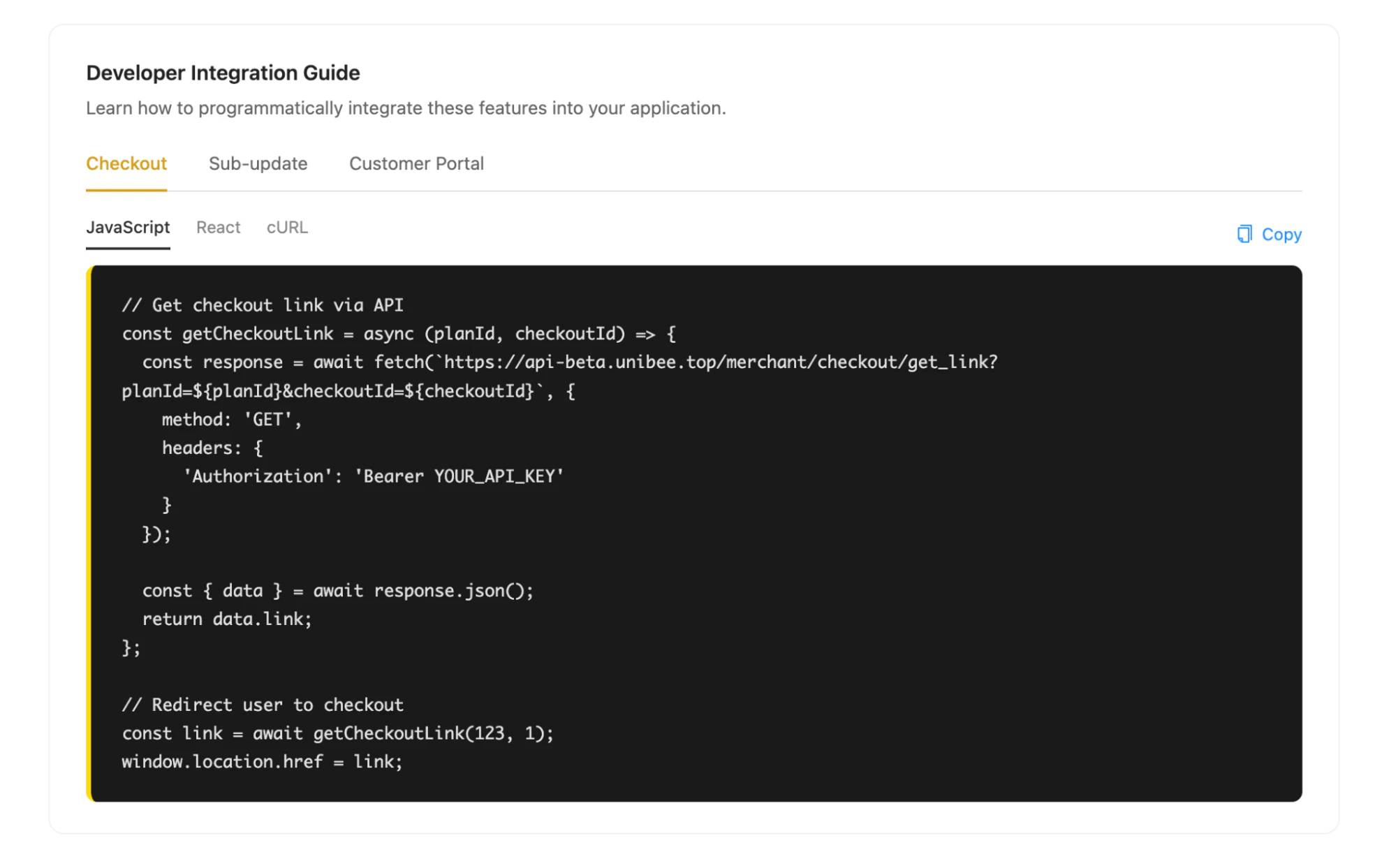
- checkout
- subscription update
- customer portal
- JavaScript
- React
- cURL
How to Use
- Open the Developer Integration Guide section
- Select the feature you want to integrate
- Select the code example format
- copy the sample code
- adapt the sample to your backend and frontend architecture
Recommended Implementation Approach
In production, merchants should usually:- authenticate users in their own system first
- generate secure UniBee links from the server side
- redirect users only after successful authentication and authorization
- avoid exposing sensitive API credentials on the client side
Typical Use Cases
- embed hosted checkout into an application flow
- launch customer portal access from an account settings page
- redirect authenticated users to a hosted subscription update page
- speed up implementation using ready-to-use sample code
Choosing the Right Entry Point
Use the right UniBee hosted page depending on your business scenario.Use Checkout Link Generator when
- you want to start a new purchase flow
- you want to test or preview checkout pages
- you want to generate a direct checkout page for a selected plan
Use Subscription Update Page when
- the user already has an active subscription
- the user needs to renew, upgrade, downgrade, or cancel
- you want a focused self-service flow for subscription changes
Use Customer Portal when
- you want to offer a complete billing self-service center
- users need access to invoices, payment methods, and subscriptions
- you want a broader account management experience
Best Practices
- use hosted checkout for fast plan purchase flows
- use session APIs to generate authenticated customer-facing links
- keep all customer-facing access behind your own authentication layer
- use sandbox testing before enabling production traffic
- implement webhook handling to keep subscription status synchronized with your own system