

Set up Trial for the plan
In UniBee Plan creation page, you can enable trial for the subscription plan by choosing “Trial”.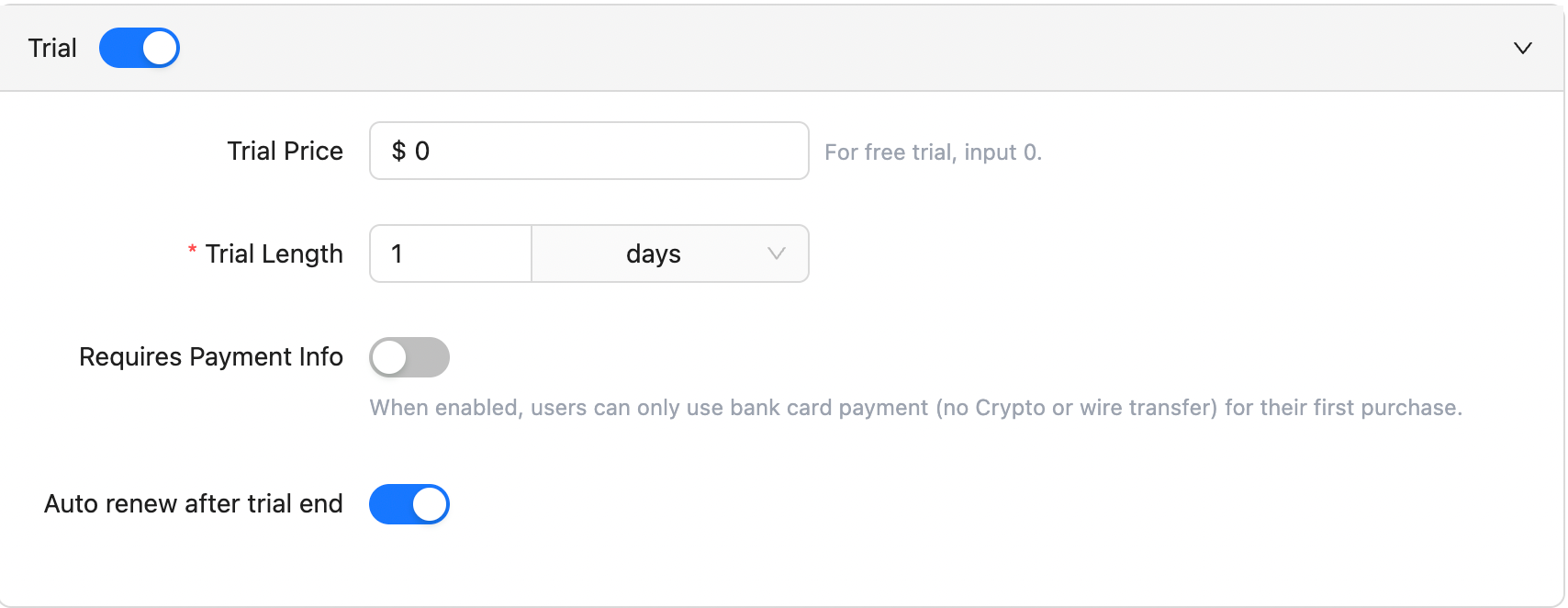
- Set up a Free Trial: input 0 in the “Trial Price” field.
- Set up Paid Trial: Simply input the trial pricing in the “Trial Price” field.
- Define the length: the available time units are hour, day, week, month.
- Auto-charge after the trial ends: if you want to get the user’s billing details and auto-charge users when a trial ends, you should enable the “Trial requires bank card info” option. This solution will provide a seamless automatic billing experience for you and your users.
- Enable auto-renew after the trial ends: if you enable this option, then the billing system will send notifications (such as emails with invoices) to your users. After successful payment, users will have active subscription plans.