

Core Features and Benefits
Diverse Billable Metric Types:
UniBee supports four metric types to accommodate different business models and usage patterns.Quick Comparison Table
Detailed Type Descriptions
1. Limit Metered
Purpose: Ideal for fixed-price plans with usage caps. Prevents customers from incurring unexpected charges. Behavior:- Usage resets to zero at the start of each billing cycle (hard reset)
- When the predefined limit is reached, the system automatically rejects further requests
- Unused quota is lost at the end of each cycle
- Monthly API call limit (e.g., “1000 API calls per month”)
- Monthly storage quota that resets completely
- Feature access limits that don’t accumulate
2. Limit Recurring ⭐
Purpose: Ideal for prepaid credits or allowances where unused quota has value and should be preserved. Behavior:- Soft reset at the start of each billing cycle (carries over unused quota)
- Unused quota automatically carries forward to the next period
- Supports manual quota adjustments by administrators
- Prepaid SMS credits (unused credits carry forward)
- Prepaid call minutes
- Monthly data allowances that accumulate
- Automatic carryover of unused quota
- Manual quota adjustments for compensation or corrections
- Complete audit trail of quota sources
3. Charge Metered
Purpose: Suitable for usage-based billing where you charge customers based on actual consumption. Behavior:- Usage resets to zero at the start of each billing period
- Charges are calculated based on usage during the period
- Additional amounts are added to the invoice at period end
- Pay-per-use API calls
- Usage-based storage charges
- Per-transaction fees
4. Charge Recurring
Purpose: For usage-based plans where usage accumulates continuously across billing periods. Behavior:- Usage does NOT reset at the beginning of each period
- Continuous accumulation of usage over time
- Charges based on total accumulated usage
- Total data usage billing
- Lifetime transaction count
- Cumulative storage usage
Flexible Metric Aggregation Types:
- Count: Counts the number of events received, ideal for simple usage tracking such as API calls or transactions.
- Count Unique: Determines the number of unique values associated with a custom property, suitable for tracking unique users or unique actions.
- Latest: Only considers the value of the last event received, useful for scenarios where only the latest data matters, such as the latest temperature reading in an IoT application.
- Max: Considers the highest value received, useful for setting usage limits to ensure no single value exceeds a predetermined threshold.
- Sum: Calculates the total value of all events received during the period, ideal for metrics like total data usage or total sales within a billing cycle.
Advanced Data Analysis and Reporting:
- UniBee Billable Metrics not only offers various billing types and aggregation methods but also comes equipped with powerful data analysis and reporting tools. With detailed usage reports and analytics, you can gain deep insights into customer usage patterns, optimizing resource allocation and pricing strategies.
Seamless Integration and Expansion:
- Designed with modern businesses in mind, UniBee Billable Metrics provides extensive API interfaces and integration options. Whether integrating with existing CRM systems, ERP systems, or other third-party tools, it can be done effortlessly.
Customer-Friendly Billing Management:
- UniBee Billable Metrics not only provides flexible billing solutions for businesses but also offers transparent usage and billing information for customers. With a user-friendly interface, customers can easily view their usage and billing details, enhancing user experience and satisfaction.
Do you need to use billable metric?
UniBee Billable Metrics offers:- Flexibility: Whether for fixed-price plans or dynamic usage-based pricing, UniBee meets your needs.
- Accuracy: Various aggregation methods ensure billing accuracy and transparency.
- Insight: Powerful data analysis tools help you understand customer behavior and optimize business strategies.
- Ease of Use: Seamless integration and a user-friendly interface make usage and billing management easy for you and your customers.
How to set up billable metric in UniBee?
These metrics data can be create and link to plan in admin portal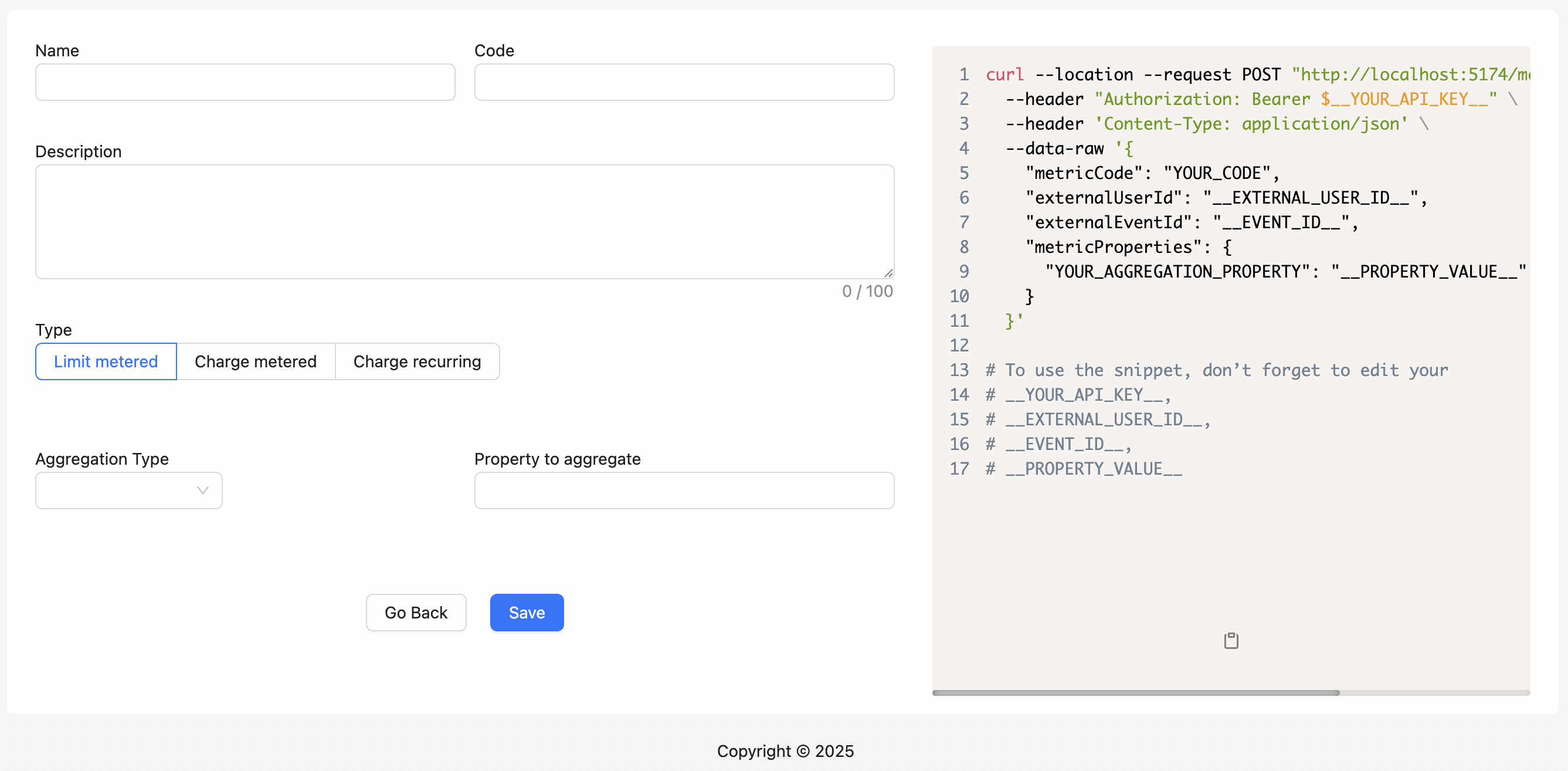
Metric Aggregation Type
- Count: Counts the number of events received for the metric
- Count Unique: Determines the number of unique values associated with the custom property
- Latest: Only takes into account the value of the last event received
- Max: Takes into account the value of the highest event received
- Sum: Adds up all the values received for the defined property